
Description
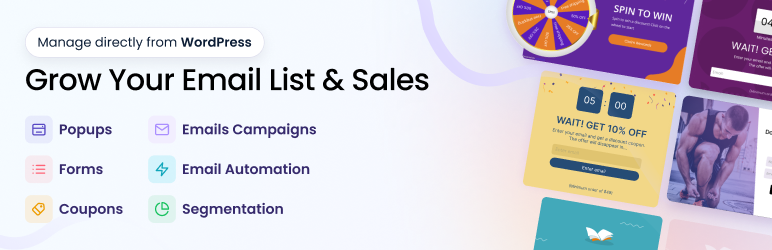
All-in-one email marketing, email automation, pop ups, forms, and coupon platform to grow your audience, nurture customer relationships, and drive more sales. 🎉
Support | Demo | Upgrade | Sign Up for Free
Create beautiful email campaigns, newsletters, email popups, sms pop ups, exit intent popup, coupons and email marketing automation to convert more visitors into leads, subscribers, and sales.
How Poptin Emails & Pop Ups Can Help Your Business Grow 🚀
- Grow your email list using email popups and forms
- Segment contacts using behavior, tags, pop up interaction, and custom properties
- Send targeted newsletters and email campaigns
- Automate welcome, abandoned cart, birthday, reactivation and lifecycle emails
- Recover cart abandonment with spin the wheel, exit offers and upsell pop up
- Nurture customers with personalized marketing journeys, coupons and promotions
Create a Poptin account for free
Poptin is a web application that works perfectly with WordPress and many more web platforms. Start creating your first popups and contact forms by opening your free account
📧 EMAIL MARKETING AUTOMATION
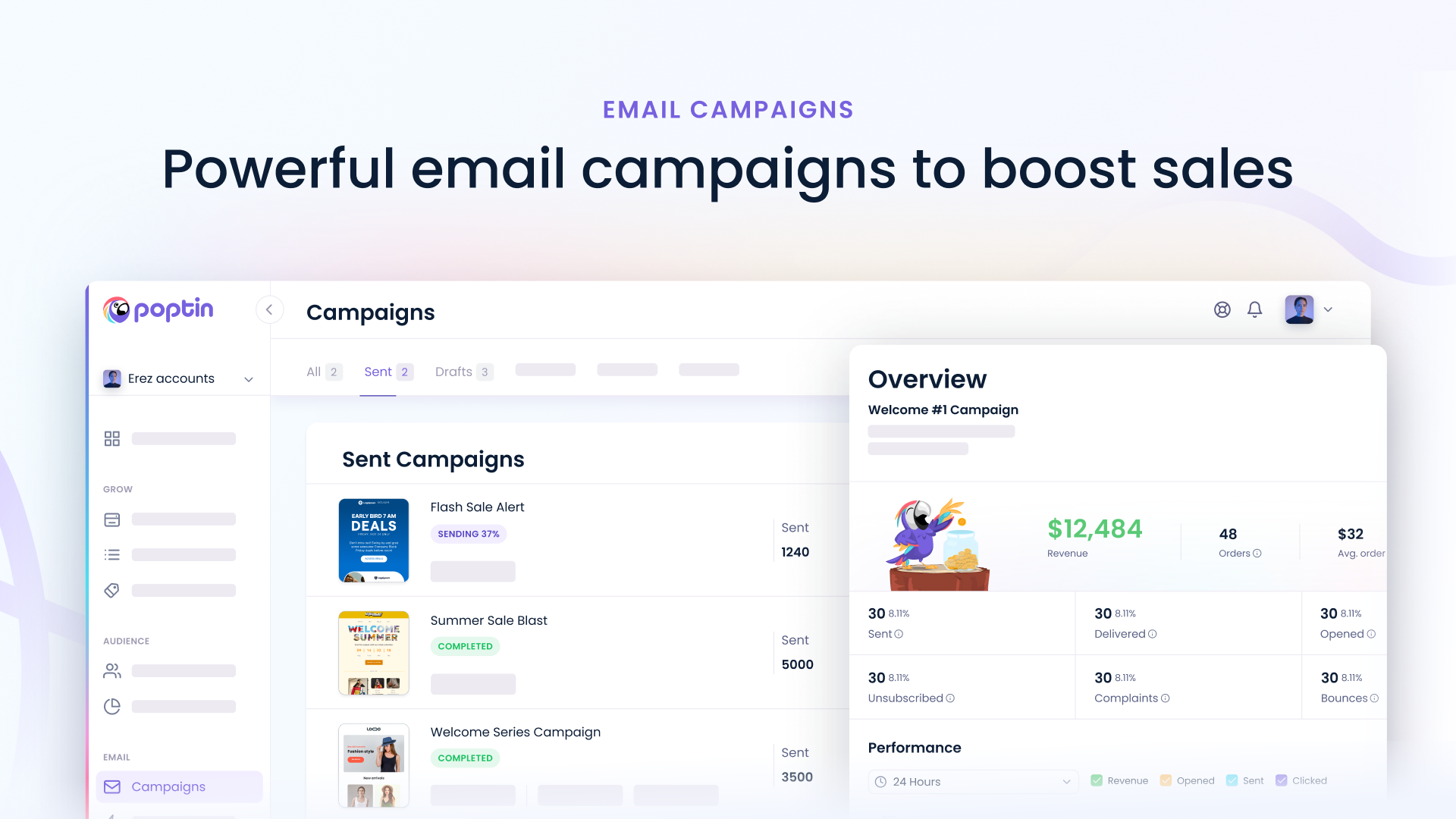
Poptin gives you everything you need to grow and engage your audience in one platform. Organize and segment contacts using behavioral and engagement data, create and send unlimited email campaigns and newsletters, and automate personalized customer journeys based on subscriber activity, website behavior, ecommerce events, and lifecycle stages to increase conversions, retention, and revenue.
Unlimited email campaigns and unlimited email sending on all email marketing plans – no monthly sending caps or per-campaign limits.
Contact Management & Segmentation
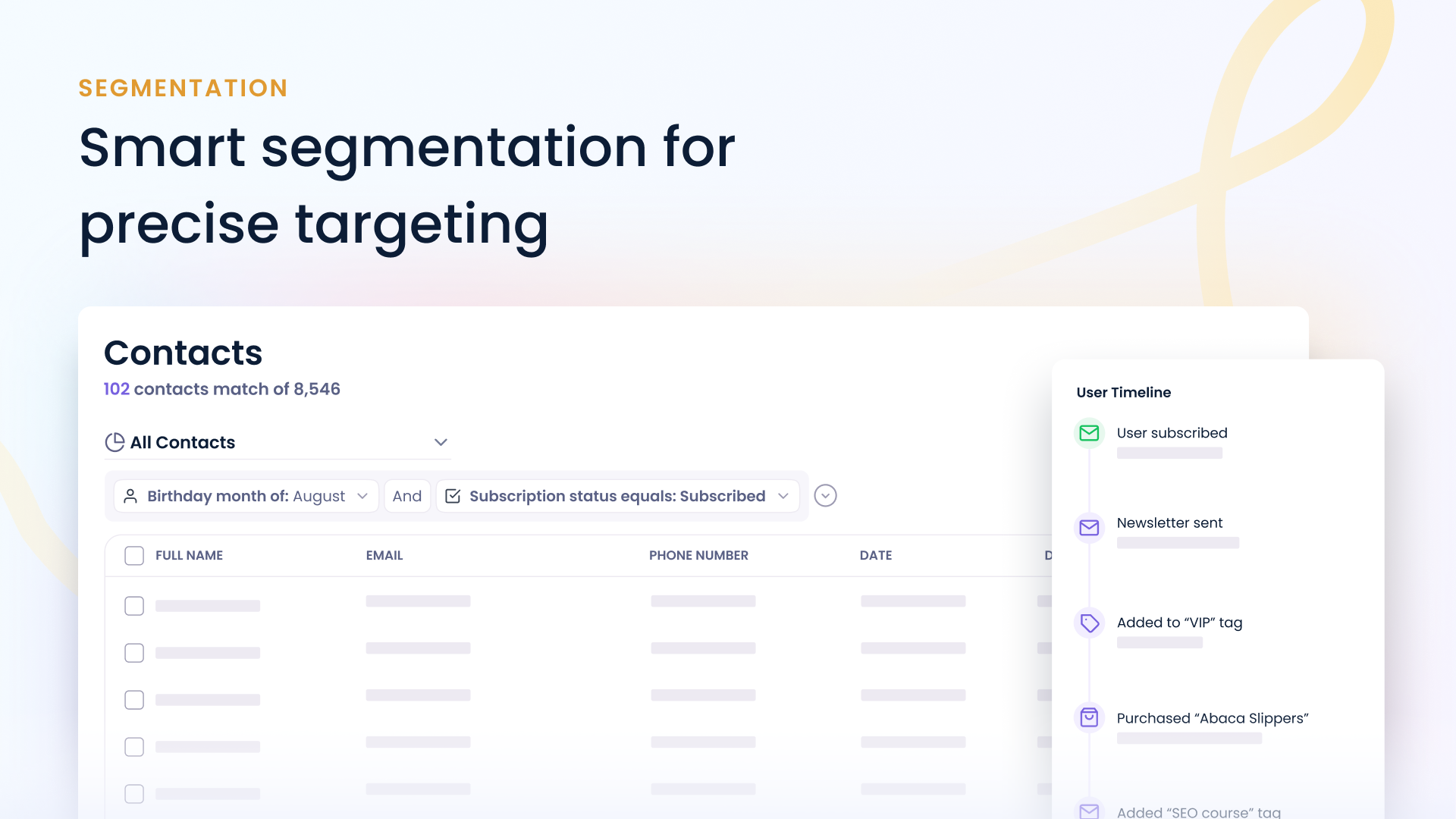
Organize, manage, and segment your audience using tags, custom properties, popup and form interactions, engagement history, activity tracking, and behavioral data. Create highly targeted segments based on subscriber attributes, actions, website activity, and campaign engagement to deliver more relevant experience
- Contact profiles with complete activity history and engagement timeline
- Custom properties including text, number, date, and boolean fields
- Tags, subscriber preferences, and custom attributes
- Popup and form interaction tracking
- Website activity and visitor behavior tracking
- UTM campaign, source, medium, content, term, and ID tracking
- Email engagement tracking (opens, clicks, bounces, unsubscribes)
- Consent and subscription status tracking
- Contact search, filtering, import, and export
- Dynamic merge tags and contact personalization
Segment by
* Tags, preferences, and custom properties
* Popup and form submissions
* Popup views, conversions, and gamified popup interactions
* Email opens, clicks, bounces, and engagement activity
* Website visits, page views, and browsing behavior
* Traffic source, referral source, and UTM campaigns
* Location, country, language, browser, OS, and device
* Subscription status, consent status, and lifecycle stage
Dynamic segments that update automatically as contacts change
Email Campaigns
Create, personalize, and send beautiful email campaigns and newsletters with our drag-and-drop editor. Use audience segmentation, preferences, dynamic content, personalization, coupons, scheduling, and advanced targeting to reach the right contacts at the right time and improve engagement, conversions, and sales.
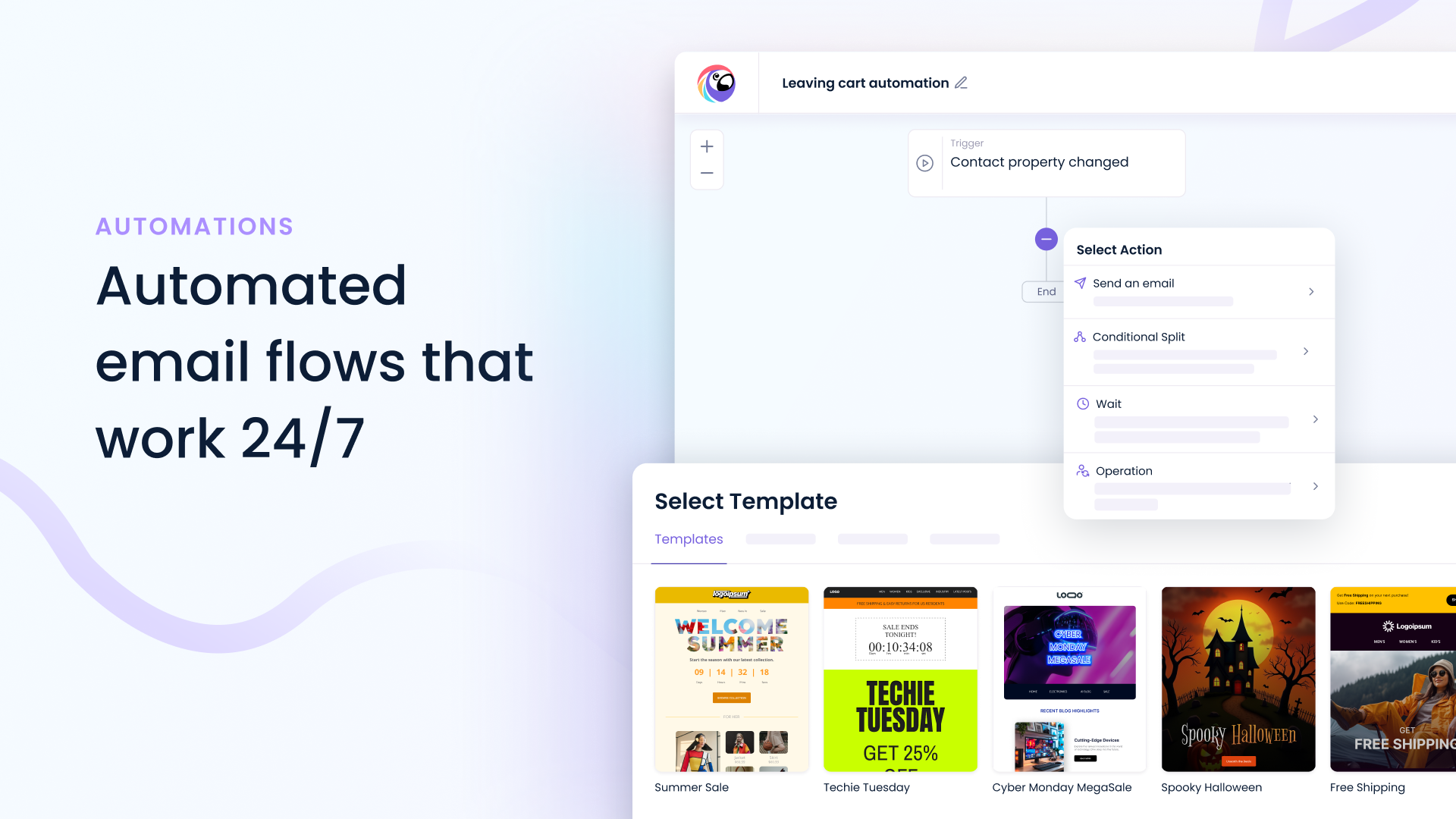
* Visual automation workflow builder
* Welcome email automations
* Abandoned cart recovery sequences
* Birthday and anniversary automations
* Reactivation and win-back campaigns
* Lead nurturing sequences
* Coupon delivery automations
* Customer onboarding journeys
* Cross-sell and upsell campaigns
* Trigger email automations from popup and form activity
* Trigger email automations from website activity and visitor behavior
* Trigger automation from email opens, clicks, and engagement activity
* Trigger email automations from tags, subscriber preferences, and contact property changes
* Trigger automations from dates, birthdays, anniversaries, and custom date fields
* Wait and delay actions for timed customer journeys
* Split conditions and branching logic for advanced automation flows
* Multi-step customer journeys with personalized paths
* Automation performance tracking and reporting
💻 SMART POP UPS & EMBEDDED FORMS
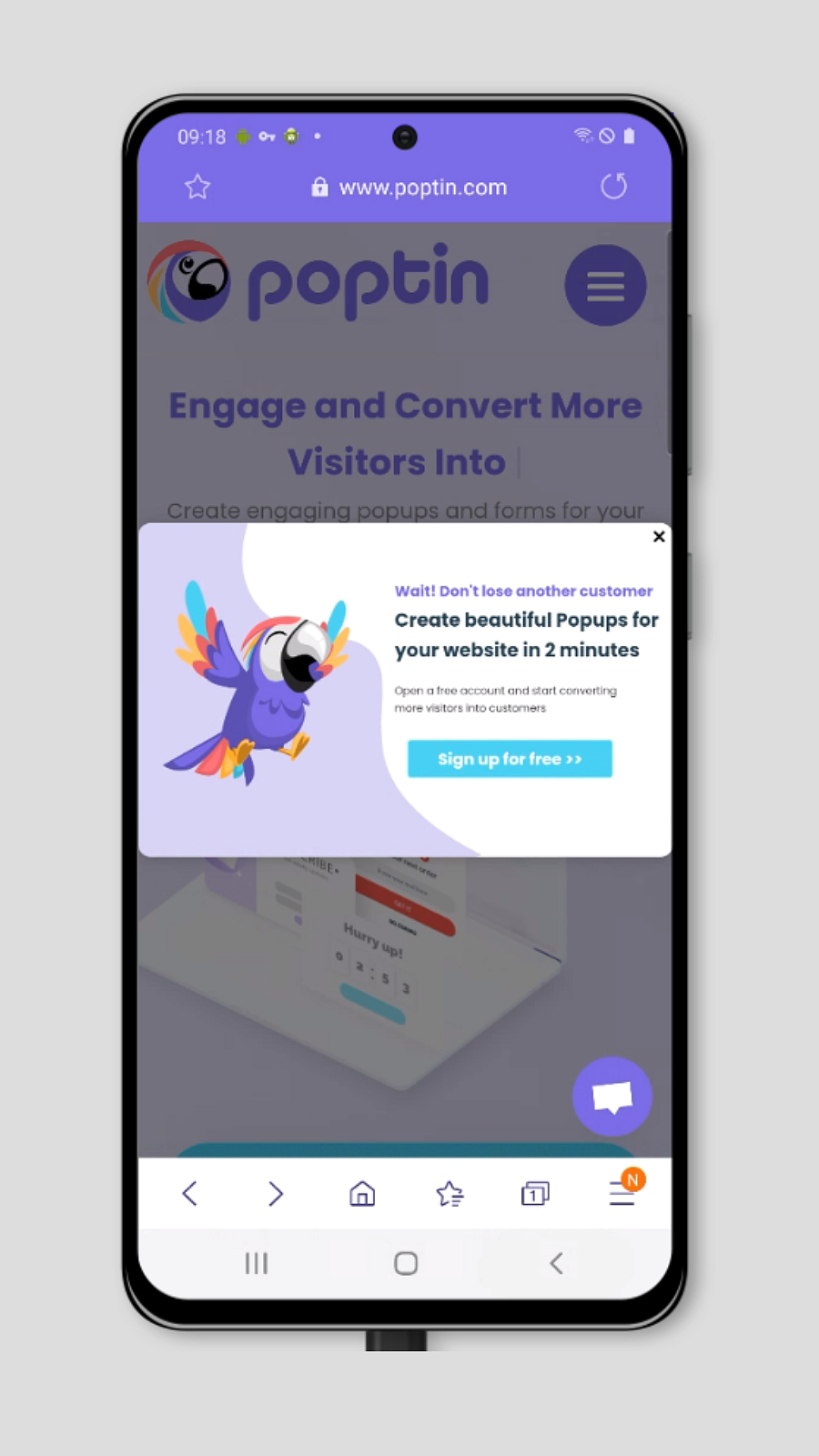
Poptin forms and popup plugin tracks the website’s visitors’ behavior and shows the right message at the right time. The platform helps to improve conversion rate and turn more visitors into leads, sales, newsletter subscribers, increases engagement, and recovers abandoning website and cart visitors using exit offers and exit intent technology and many other pop ups triggers.
You can create anything your marketing heart desires, from advanced overlays to SMS popups, inline forms, call button pop up, WhatsApp button, welcome bar, exit popups, and social widgets – it’s all on-brand and fully customizable with our powerful popup builder. Our popup plugin includes exit intent trigger on the free plan and many other advanced features. The free plan comes with 1,000 visitors of popups and forms per month.
Unlimited popups, unlimited forms, unlimited integrations, unlimited leads.
What do you get with Poptin?
-
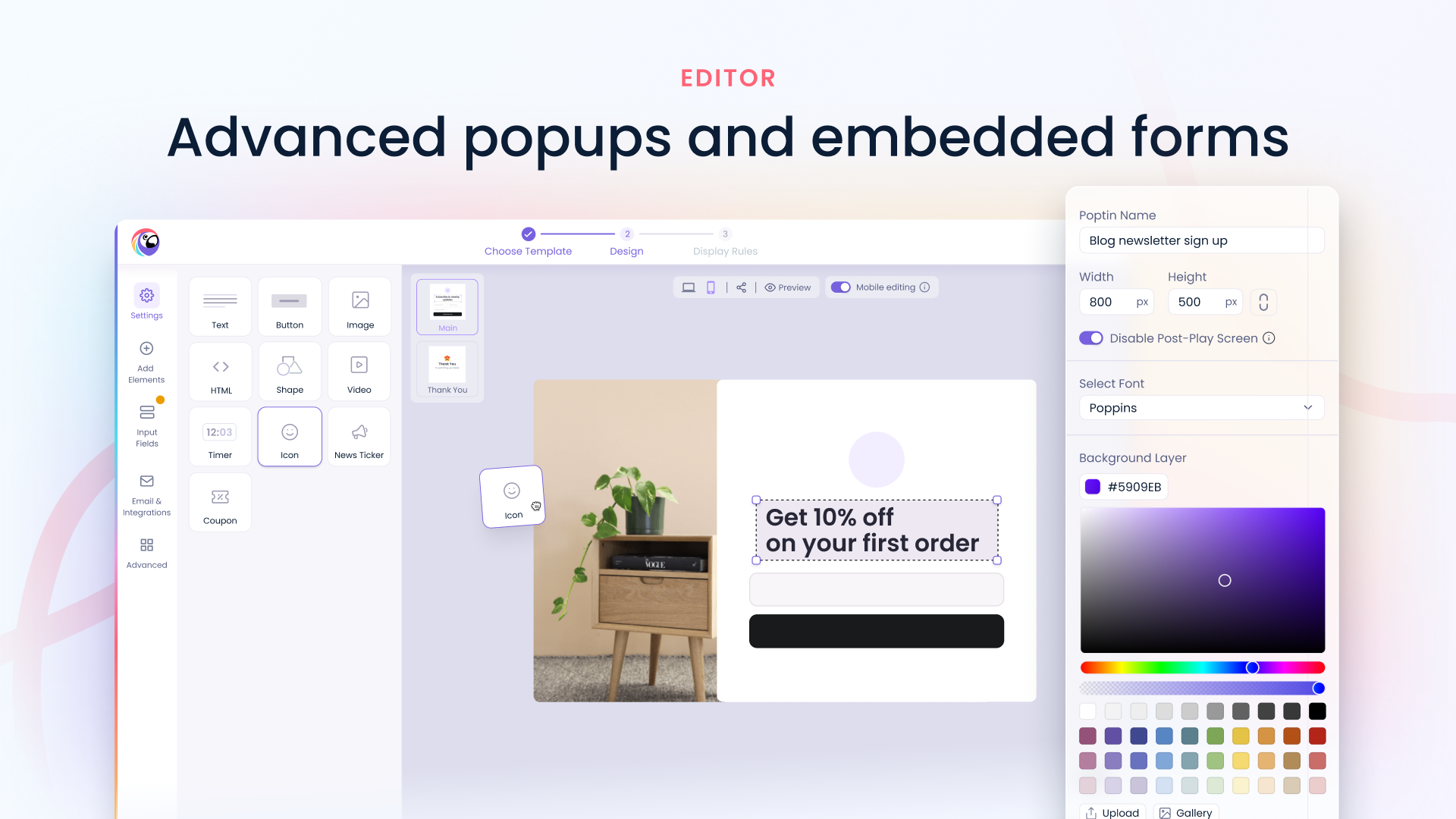
Drag-and-Drop Pop Up Builder – Create popups and contact forms in minutes without coding
-
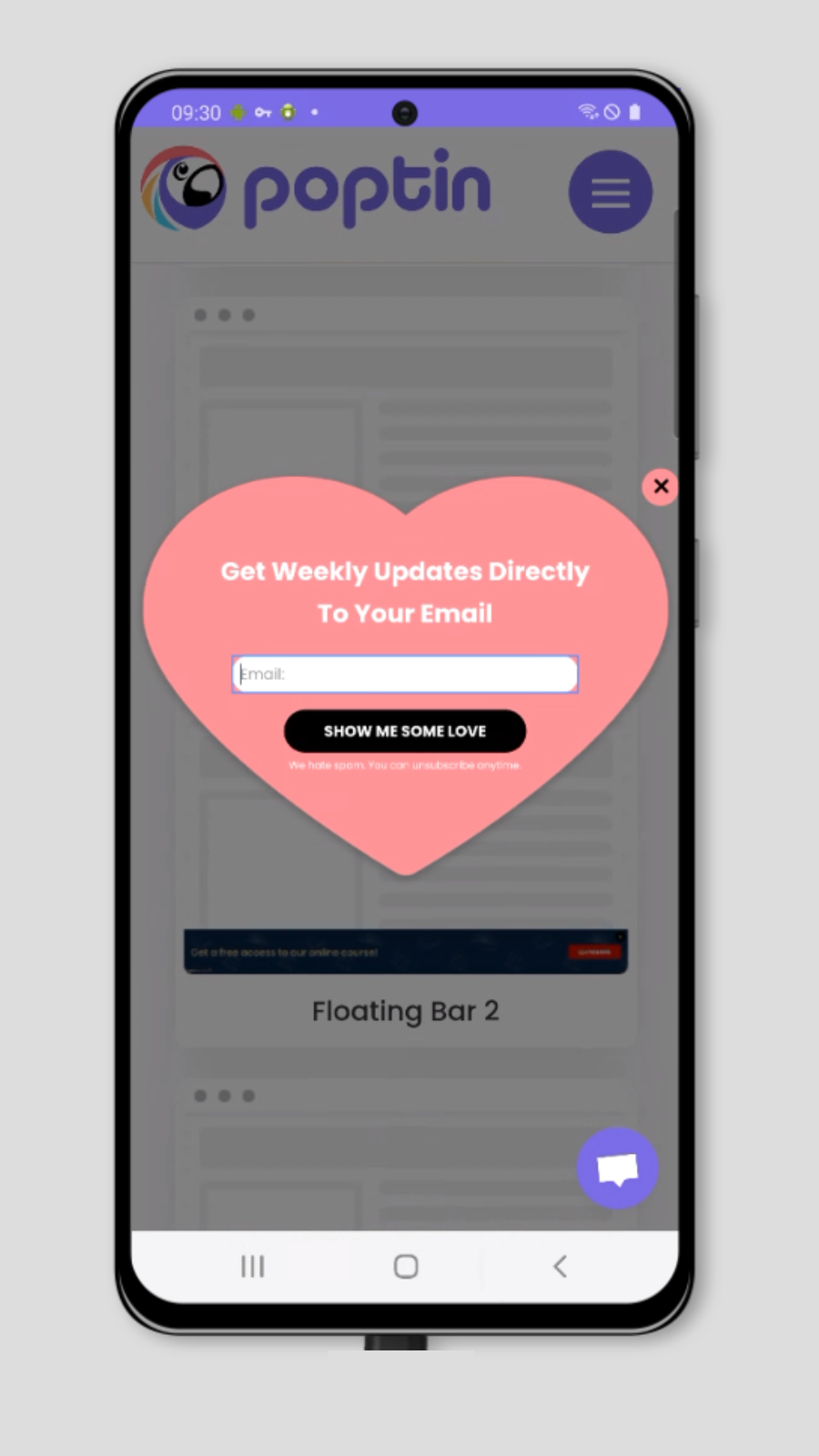
Responsive Templates – Choose from popup and form templates including lightbox, slide-in, floating bar, notification bar, fullscreen, video, countdown, mobile popups, and more
-
Inline Forms – Build inline forms and embed them anywhere on your website using a shortcode
-
Exit-Intent Technology – Unlimited exit popups. Our exit intent trigger is included on all plans 🥳
-
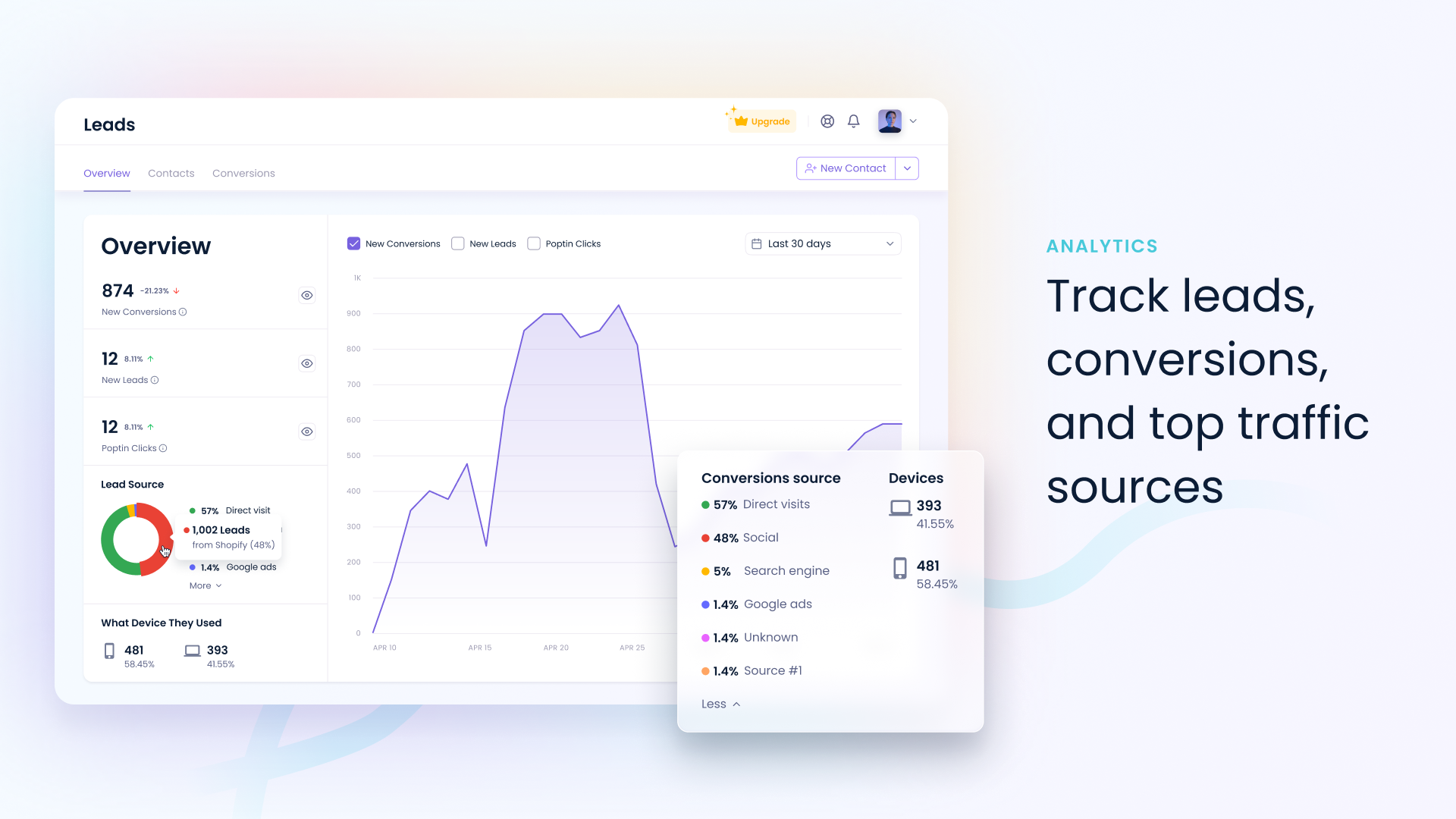
Analytics & Reporting – Track popup, form, and conversion analytics to optimize performance
-
Advanced Targeting & Triggers – Target visitors using exit intent, scroll depth, inactivity, page visits, clicks, URL targeting, device targeting, geolocation, traffic source, schedules, and audience targeting. Run your popup with our Autopilot trigger and get optimized results
-
Custom Design – Customize popups and forms with images, videos, HTML, CTAs, effects, layouts, and positioning
-
Integrations – Connect your pop ups with MailChimp, GetResponse, Omnisend, Kit, Pipedrive, ActiveCampaign, HubSpot, Klaviyo, Zoho CRM, Salesforce, Zapier, Make, and many more email marketing, CRM, and marketing automation platforms
-
A/B Testing – Compare video popups, popup forms, triggers and other pop up variations to improve conversion rate optimization
-
Custom Fields – Add predefined and custom fields to your pop ups including dropdowns, radio buttons, checkboxes, hidden fields, dates, and more
-
Gamified Popups – Increase engagement with Spin the Wheel, Scratch Card, and Pick a Gift popups. Highly recommended for WooCommerce stores to
increase sales -
Landing Page Links – Collect leads using dedicated landing page links for popups and forms
-
Draft & Autosave – Automatically save and protect your work while creating and editing popups and forms
-
Multiple Users Management – Manage multiple users and sub-accounts with Agency and Growth plans.
-
SEO-Friendly & Accessibility Ready – SEO-friendly, accessible popups, forms, and widgets optimized for desktop and mobile devices.
-
Multi-Language Support & RTL – Create popups and forms in English, Hebrew, German, Japanese, Italian, Arabic, French, and many more languages & Full RTL support
-
Dynamic Content & Merge Tags – Display personalized text and images in popups and forms using Merge Tags and UTM parameters
-
Custom HTML Embeds – Embed quizzes, surveys, polls, maps, forms, social share buttons, and more directly into your popups
-
Multi-Step Popup Flows – Launch a popup from another popup and create double opt-in, triple opt-in, 2-step lightbox, slide-in, fullscreen overlays, and advanced conversion flows
-
Heatmaps & Session Recording Integrations – Track popup and form performance with Hotjar, Microsoft Clarity, Lucky Orange, ClickTale, FullStory, Smartlook, Crazy Egg, Mouseflow, and other heatmap and session recording tools
-
Compatible with Popular WordPress Builders – Show popups and forms on websites built with Elementor, Divi, Bricks Builder, Beaver Builder, WPBakery, SeedProd, Oxygen, Breakdance, Gutenberg, and more.
-
Deep WooCommerce integration – coming soon!
Advanced Triggers & Targeting Rules
Pop up Triggers
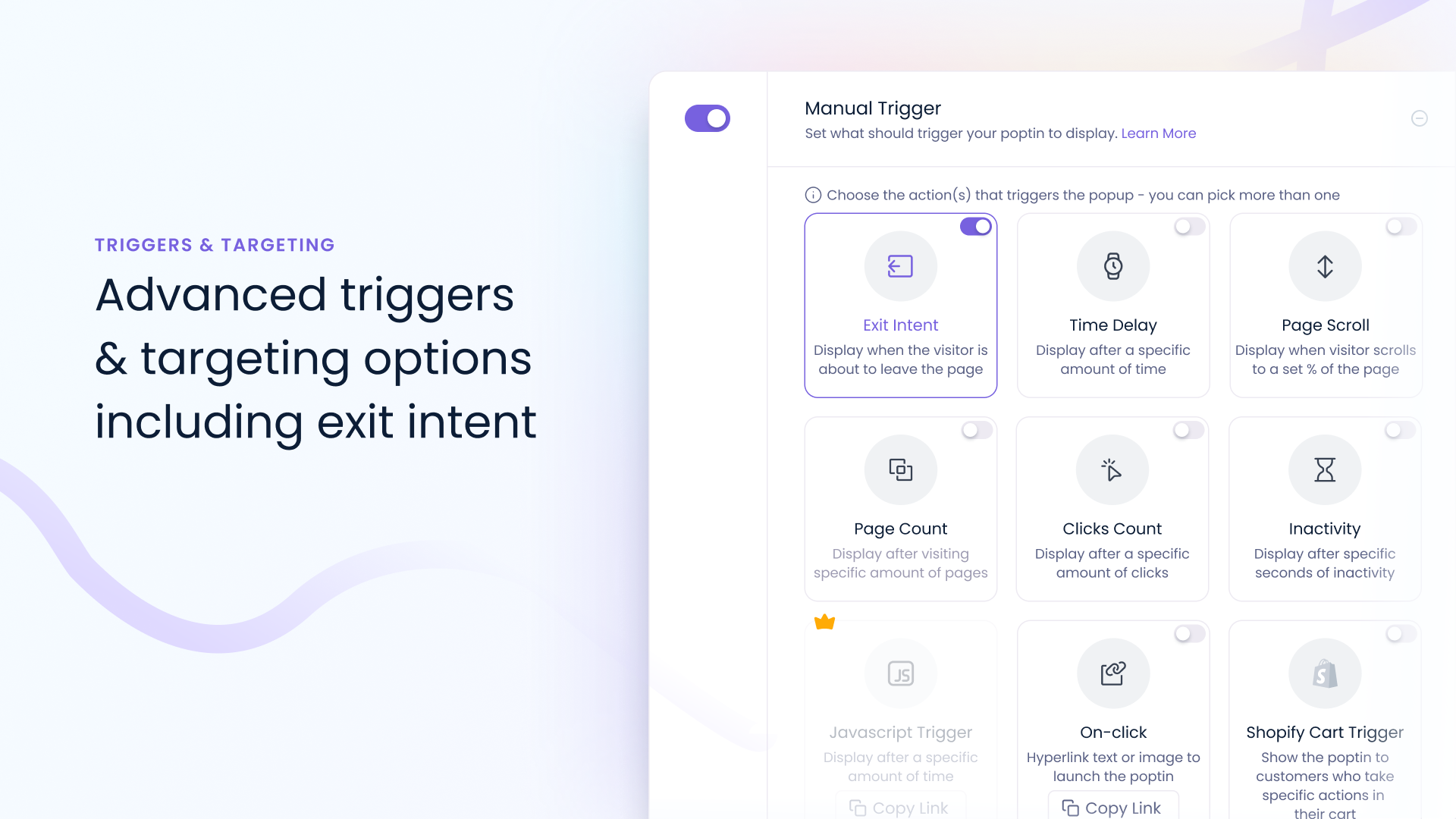
Display popups based on visitor actions and behavior, including Exit Intent, Time Delay, Scroll Depth, Pages Visited, Click Count, Inactivity, On-Click Triggers, JavaScript Triggers, and Cart Triggers.
Pop up Targeting Options
Target your pop ups to visitors based on URL/Page Targeting, Device, Countries & Geo-Location (including US states), OS & Browsers, Days, Hours & Dates, Traffic Sources (Organic, Google Ads, Facebook, ChatGPT, Gemini, Claude, Perplexity, Reddit, YouTube, Pinterest, X, and more), New vs Returning Visitors, Cookies, Previous Pages Visited, Popup Engagement, View Count, Title Tags, Source Code, JavaScript Conditions, IP Blocking, AdBlock Detection, and more.
Gamified Pop ups
Increase engagement, capture more leads, and drive more sales with interactive gamified popups. Create Spin the Wheel pop up, Scratch Card, and Pick a Gift popups with our gamified popup builder to reward visitors with coupon codes, discounts, and special offers. Perfect for WooCommerce stores looking to boost conversions and make pop ups promotions more engaging.
Available gamified popups:
Spin to Win pop up
Wheel of fortune pop ups or spin wheel pop ups let your visitors spin a wheel and get the chance to win one of the many prizes or codes on your wheel. Use the wheel of fortune pop up or spin wheel popup for almost always win situation for your visitors.
Scratch Card pop up
Scratch off pop ups or scratch card pop ups are where you set a code and the customer will “scratch” the card to reveal the code for your customers to use in your shop. Use a scratch off popup for that lottery card feel. There’s always a code that customers will win with the scratch cards popups.
Pick a Gift pop up
Pick a gift pop ups let your customers pick from one of three gifts for a chance to win a special code that can be used in your store. Use the gift pop ups if you want a bit of more thrill, with the visitors getting a chance to win a code or nothing at all.
Drag and Drop Inline Form Builder
Create inline contact forms with Poptin and easily embed them anywhere on your website using a shortcode.
Use smart targeting and trigger options to maximize conversions, and build beautiful forms from scratch or with ready-made templates. Similar to pop ups, add powerful elements such as countdown timers, videos, custom HTML, images, shapes, and button attention effects to increase engagement. We support all field types, including name, email, phone, custom fields, dates, websites, numbers, dropdowns, radio buttons, checkboxes, and more, giving you complete flexibility to create the perfect form for any use case.
Use our form builder to create different versions for desktop and mobile, and display them using the same shortcode.
Run A/B tests – use our form builder to create a different version of your form, and also create a different trigger and targeting rules. Display different versions of your contact form using the same shortcode, and find out what’s the best version of your inline contact form.
Just like our pop ups, inline forms support all of Poptin’s integrations, allowing you to automatically send leads to your CRM, email marketing platform, help desk, webinar software, and more. Create advanced experiences by triggering a pop up after a form submission, showing a form only to visitors who interacted with a specific pop up, and combining forms and pop ups together to build highly targeted conversion funnels.
Create a Poptin account for free
Poptin is a web application that works perfectly with WordPress and many more web platforms. Start creating your first popups and contact forms by opening your free account
Coupons
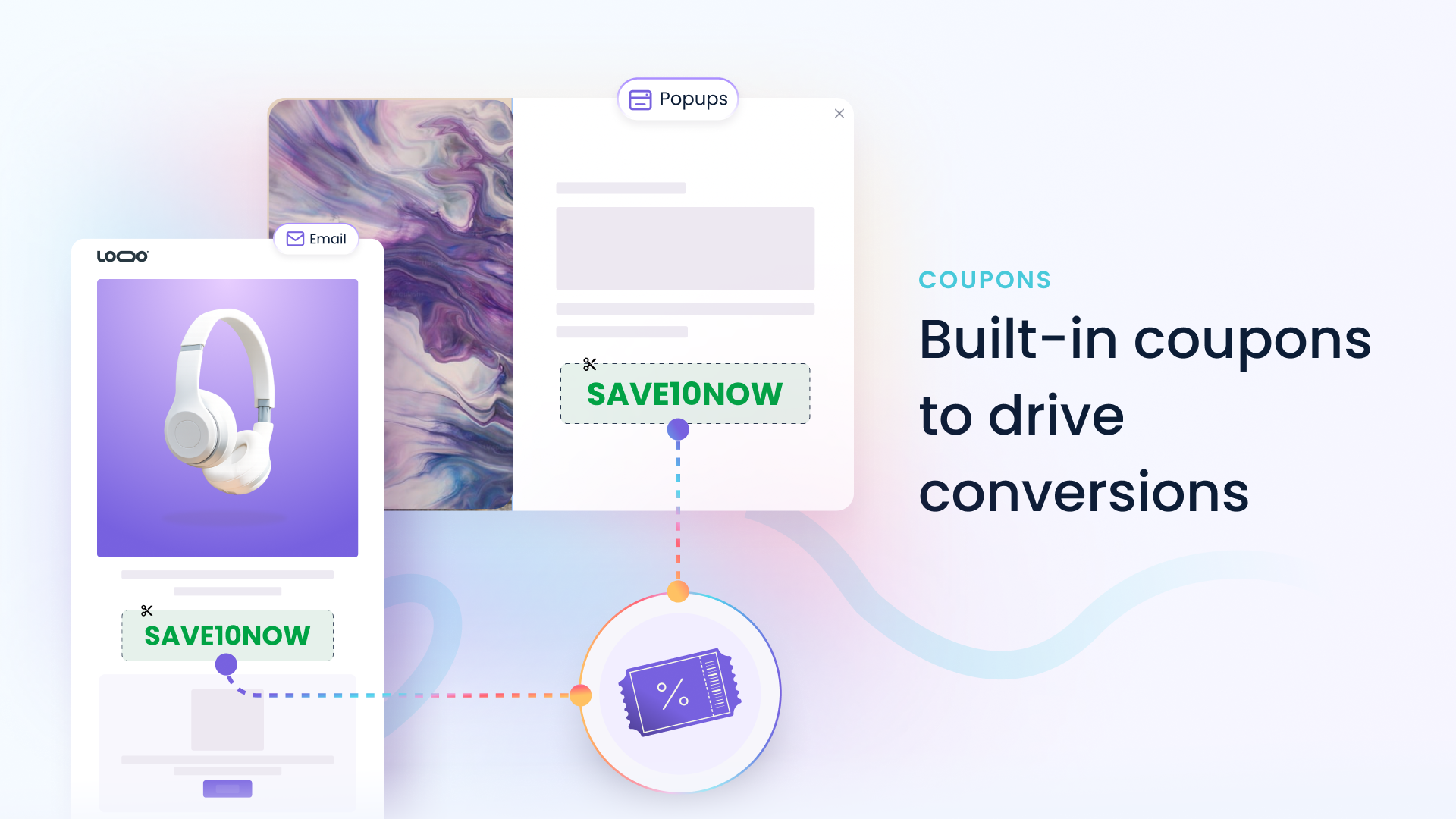
Create and manage fixed-value or unique coupon codes and display them directly in your coupon popups, discount pop ups, forms, and email campaign. Automatically reward visitors with personalized discounts, promotional offers, and coupon codes to increase conversions, recover abandoned visitors, grow your email list, and drive more sales. Track coupon usage through pop ups, redemptions, and performance to measure the effectiveness of your promotions and marketing campaigns.
Email & Pop Ups API (Coming Soon)
Extend and automate your email marketing workflows with our upcoming API. Update contact properties, tags, preferences, and subscriber data programmatically, trigger email automations based on customer actions, and send email campaigns directly from your applications, websites, and internal systems. The API will also provide access to popup creation and management, including MCP support for AI agents that can build and optimize pop ups automatically. Retrieve popup performance and conversion statistics, manage campaigns at scale, and connect Poptin with your custom applications, workflows, and AI-powered experiences.
70+ Popup Integrations
Connect pop ups & forms with the tools you already use, including Mailchimp, HubSpot, Salesforce, Pipedrive, Klaviyo, Omnisend, ActiveCampaign, Kit (ConvertKit), Brevo, Zapier, Make, Google Sheets, Webhooks, and many more. Sync contacts, automate workflows, trigger campaigns, and keep your marketing data connected across your entire tech stack.
Manage API keys securely from your account and connect Poptin with Zapier, Make, webhooks, custom applications, and thousands of other tools.
Use Poptin directly from your WordPress admin panel or as a standalone app
Access and manage your contacts, email campaigns, email automation, pop ups, forms, coupons, and analytics directly from your WordPress admin panel. Create, publish, track, and optimize your popups and email campaigns without switching between multiple tools, platforms or tabs.
Security & GDPR Features:
Poptin follows industry-standard security practices and is ISO 27001 compliant, ensuring your data is handled securely.
Poptin includes built-in tools to help you comply with GDPR and other privacy regulations.
- Lead and Contact Deletion Controls – Manually delete leads at any time from the Leads dashboard.
- Automatic Data Retention – Automatically delete lead data after 1, 3, 6, 12, 18, or 24 months, or choose to never store or never delete leads
- Lead Information Access – View lead details, including IP addresses, for compliance, auditing, and record-keeping purposes.
- Consent Checkboxes – Add consent checkboxes to require visitors to agree to your terms before submitting a pop up or form.
- Double Opt-In Support – Enable double opt-in email confirmations to verify subscribers before adding them to your email list
- Account Management – Easily update the email address and other information associated with your account.
- Privacy-Friendly Tracking – Reduced cookie usage to help support privacy and compliance requirements
- Click here to read more
Popular popups, email campaigns & mail automation use cases
* Show an exit-intent popup with a discount and automatically send abandoned cart emails to visitors who leave your checkout page before completing a purchase.
* Display a newsletter popup after visitors scroll 60% of a blog post, then automatically enroll them in a multi-email welcome series.
* Display personalized popups with coupon codes to visitors arriving from Google Ads, Facebook Ads, ChatGPT, or other marketing campaigns, and follow up with targeted email campaign.
* Collect dates through your forms and automatically send birthday emails, anniversary offers, and special promotions.
* Automatically identify contacts who haven’t opened or clicked emails recently and launch reactivation campaigns to win them back.
Screenshots

Installation
- Install and activate Poptin plugin on your WordPress website
- Create a free account through the plugin signup screen
- You’re good to go! Every popup you create using the Poptin app will appear on your website
- Please note: if you create a form, you need to embed the shortcode of that form for it to appear on your website
FAQ
-
I have a small website, can I open an account for free?
-
Yes! You can open a free account which is for 1,000 website visitors per month. It includes unlimited popups, forms and leads. No credit card required.
-
How are the Visitors counted?
-
A unique monthly visitor is anyone who visits one of your website pages with our code in the last 30 days. A visitor can generate several sessions and view more than 1 page, but they will still only be counted as a single visitor as long as they didn’t delete browser cookies, or used a different device or browser. You can always see your monthly usage on the Overview page.
-
Can I offer Poptin to my clients?
-
Yes! Owning an agency package allows you to create and manage user accounts for any one of your clients.
You can also create new free accounts for your clients and grant access to your account once they upgrade (even if yours is on the free plan). -
What kind of conversion rates can I expect?
-
Conversion rates on your website may double, triple or increase even more. The extent of positive effect depends on a number of factors, such as: attractiveness of offers you make on the poptins you display, how many popups and inline forms you use, targeting, display timing, etc.
-
Will I need a web developer to handle code embedding?
-
There is no need for a web developer, use of the poptin system requires adding just a single line of code. In any case, you can send the code and instructions for embedding directly to a web developer. If you are not code savvy and have no one to assist you, just contact our support and we will be happy to guide you along.
-
Can I use my own designs?
-
Yes! You can create uniquely designed popups and forms of any size and upload them onto the system.
-
Do you include exit intent popup with the free plan?
-
Yes! You can easily create exit intent popups with the free plan.
-
Do you offer migration services?
-
Yes! We’d love to help you rebuild your popups and campaigns with zero hassle from your side (depending on the amount of pop ups).
We offer migrations services from OptinMonster, Optimonk, JustUno, Privy, Sleeknote, Popup Maker, Popup Builder, Popup box, Elementor Pop ups, Icegram, MailOptin, Klaviyo pop ups, Mailchimp pop ups, WisePops, Brave pop ups, Omnisend pop ups, GetSiteControl, PopupSmart, ConvertBox, Boxzilla, BDOW, MailMunch, Hustle, WP Popups, and more -
Is there an affiliate program?
-
Yes! The Poptin affiliate program is open to all and grants a lifetime 25% monthly commission for each new paying member recruited.
-
What integrations does Poptin have?
-
You can connect Poptin for free to your favorite email platform and CRM including MailChimp, Zapier, Make, Aweber, GetResponse, ConvertKit, Pipedrive, ActiveCampaign, Hubspot, Klaviyo, Webhooks, and many more
Reviews


Contributors & Developers
“Poptin – Email Marketing Automation, Newsletter & Exit Pop Ups, Email Popups” is open source software. The following people have contributed to this plugin.
Contributors


“Poptin – Email Marketing Automation, Newsletter & Exit Pop Ups, Email Popups” has been translated into 12 locales. Thank you to the translators for their contributions.
Interested in development?
Browse the code, check out the SVN repository, or subscribe to the development log by RSS.
Changelog
1.3.11
Introduced Poptin Email with – allowing users to create newsletters, send email campaigns, and build email automations directly from Poptin.
1.3.10
Added a fix for WordPress warning
1.3.9
Added quick links to login and retrieving installation code
1.3.8
Logout bug fixed
1.3.7
WordPress Playground bug fixed
1.3.6
Safari and Brave browser compatibility during Poptin installation
1.3.5
Better installation flow – create popups and forms directly from your WordPress admin panel
1.3.4
Improved support flow
1.3.3
Improved responsiveness and more support options
1.3.2
WordPress 6.5 compatibility
1.3.1
Shortcode bug fixed
1.3
Brand new design for the Poptin WordPress plugin 🥳
1.2.1
JQuery minor UI issues fixed
1.2
Notification for WP-Rocket and other cache plugins
1.1.9
Deactivation feedback
1.1.8
Infrastructure improvements
1.1.7
Minor frontend fix
1.1.6
New branding and video
1.1.5
Added more cache plugins support including WP Rocket, WP Fastest Cache, LiteSpeed Cache, Autoptimize, and Hummingbird
1.1.4
Shortcode syntax change fix
1.1.3
Shortcode syntax change
1.1.2
Bug fixes.
UI improvements.
0.9.4
- Bug fixes.
- UI improvements.
0.9.3
- Bug fixes.
0.9.2
- Bug fixes.
0.9.1
- Initial release.